Customer Value & Loyalty
RFM segments and win-back candidates from your own order history, computed entirely inside the shop.
- Compatibility
- Shopware 6.5, 6.6 and 6.7
- Price
- €7.90/month or €66/year
- Languages
- German and English
Your order history already knows which customers are drifting away and which are your best. The customer list just does not show it: names and orders, but no ranking and no trend.
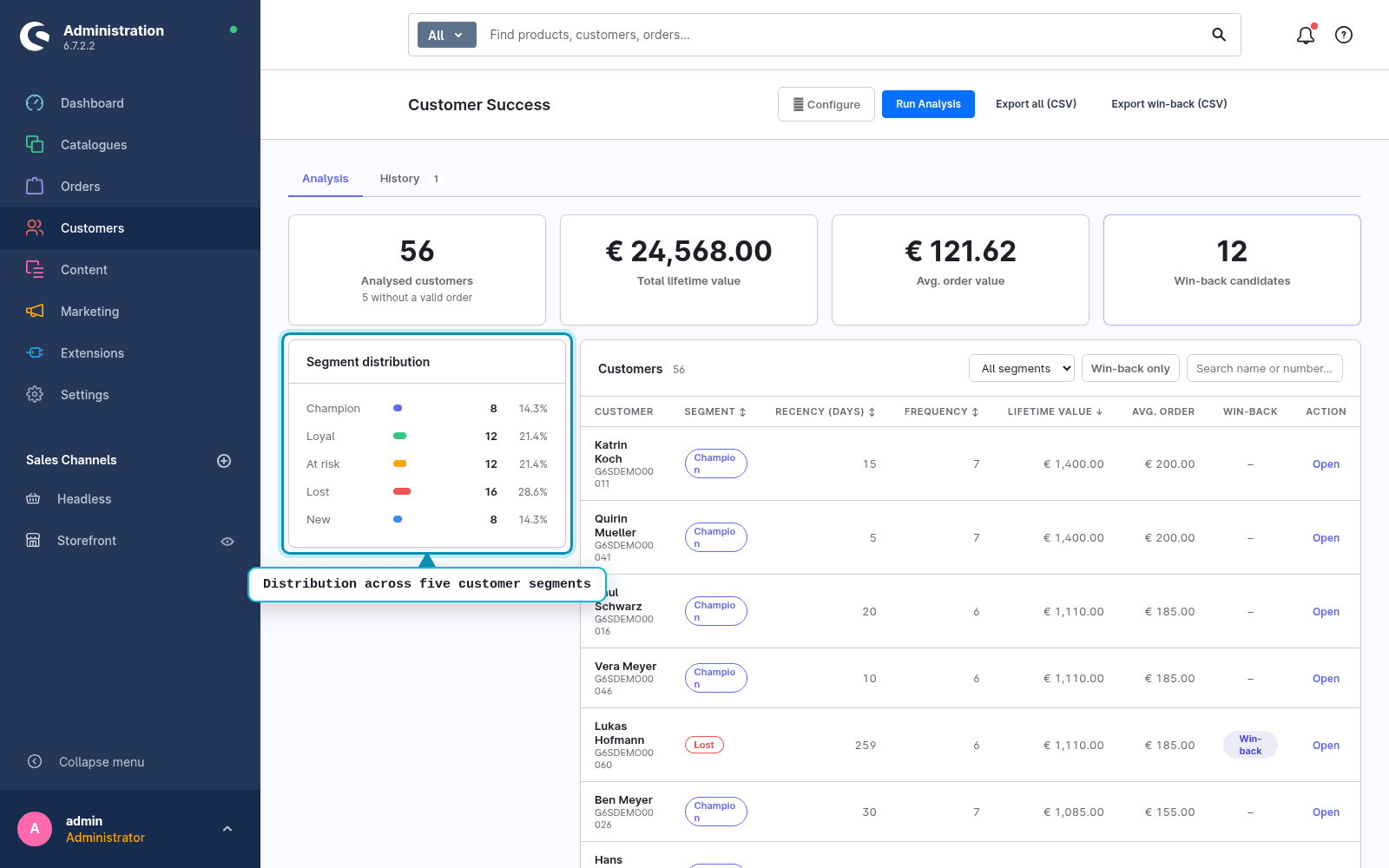
This module derives five RFM segments, a lifetime value per customer and a list of win-back candidates from the same data. All locally, read-only, without a single call to the outside.
How it looks in the admin
What sets it apart
Computes in the shop, not in the cloud
No data sharing, no tracking, no external service. The analysis runs entirely on your server.
Read-only
It sets no tags, no custom fields and no customer groups. Your customer and order data stay unchanged.
Win-back as a list, not as a mailer
Candidates arrive as CSV for your existing newsletter or CRM system. No second sending tool to maintain.
Does not block the shop
The analysis runs asynchronously through the message queue with a time budget. On very large customer bases it stops in a controlled way and says so.
How an analysis works
- 01Start the analysis. The module reads the order history of registered customers.
- 02Look at the segments: New, Champion, Loyal, At risk, Lost.
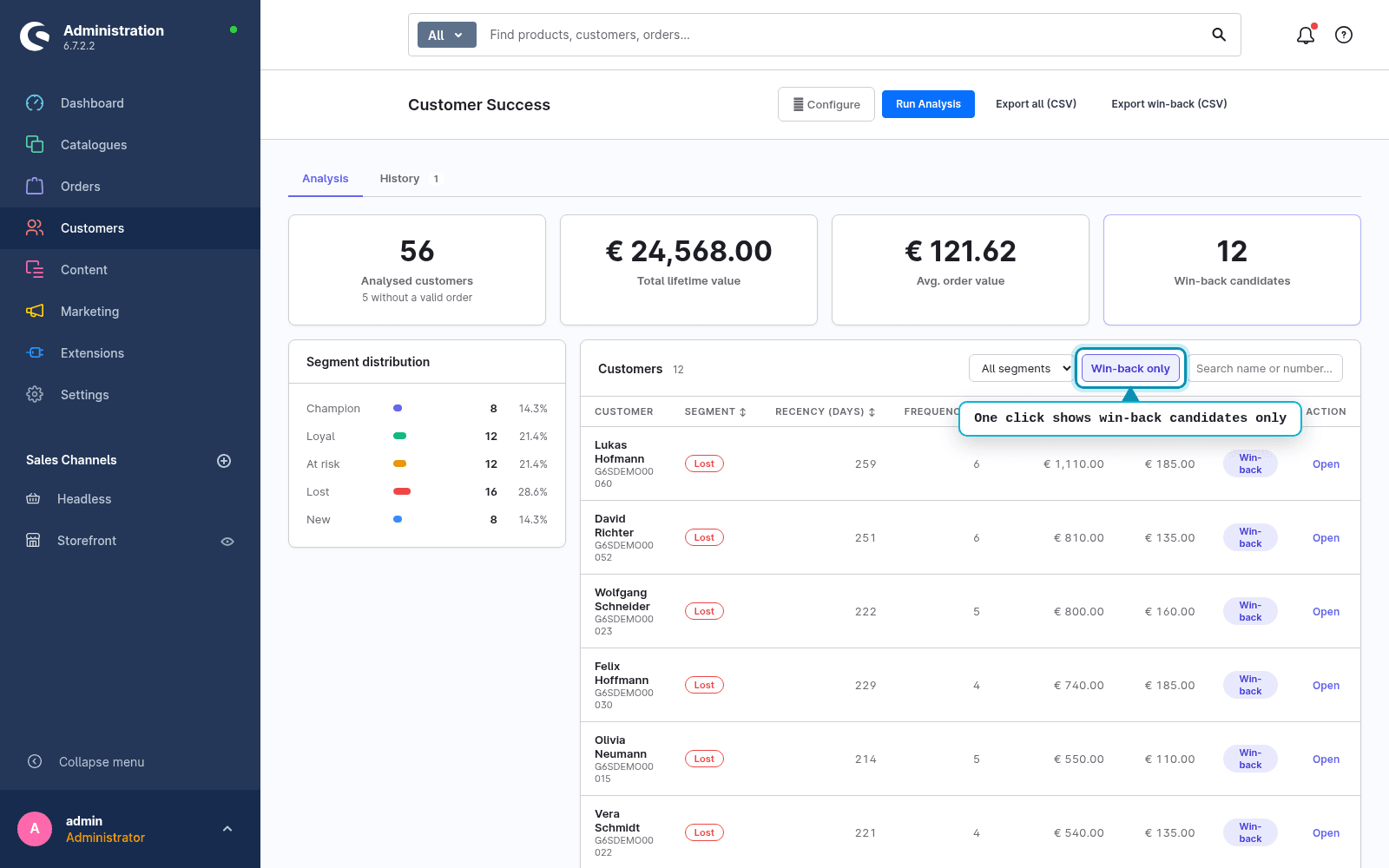
- 03Apply the win-back filter and export the candidate list as CSV.
- 04Use the list in your newsletter or CRM system.
Want to know which customers are leaving?
Customer Value & Loyalty is live in the Shopware Store. Install via the Extension Manager, first analysis in minutes.
Install in the Shopware StoreFAQ
Frequently asked questions
Does the module change customer or order data?
No. It works read-only and sets no tags, custom fields or customer groups. Your customer and order data stay unchanged.
Is any data sent outside the shop?
No. The analysis runs 100 percent locally in your shop, with no external calls, no tracking and no cloud.
Does the module send win-back e-mails?
No. Win-back is delivered as a candidate list with CSV export. You handle the sending in your existing newsletter or CRM system.
Are guest orders included?
No. Only registered customers with an account are analysed. Guest orders without an account are excluded.
Does the analysis slow down the running shop?
No. It runs asynchronously through the message queue with a time budget and blocks no web request. On very large customer bases it stops in a controlled way and says so.