Catalog Health Auditor
Rate the whole catalog at once, instead of finding gaps only inside a single product.
- Compatibility
- Shopware 6.6 and 6.7
- Price
- €8.99/month or €69/year
- Languages
- German and English
Missing images, empty alt texts or incomplete SEO fields go unnoticed in a large catalog. They still cost you: conversion, findability and, since the European Accessibility Act, legal standing.
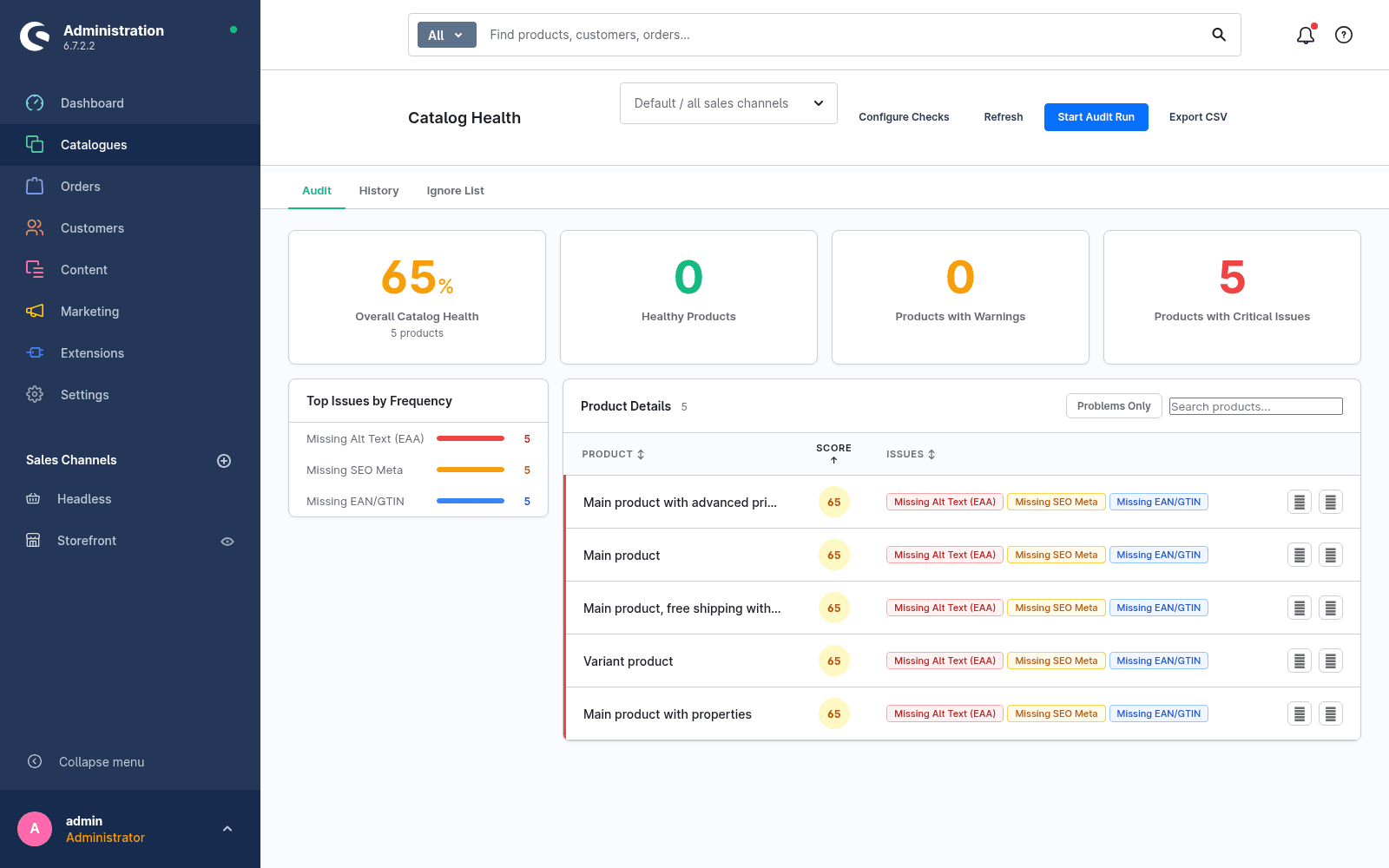
Shopware surfaces such gaps only when you open a product. Catalog Health Auditor turns that around: it rates every article with a health score from 0 to 100, weighted by severity, and shows the entire catalog in one view.
How it looks in the admin
What sets it apart
The whole catalog at a glance
Not product by product, but a weighted score across the entire inventory, broken down by issue type.
Eight checks, one of them for accessibility
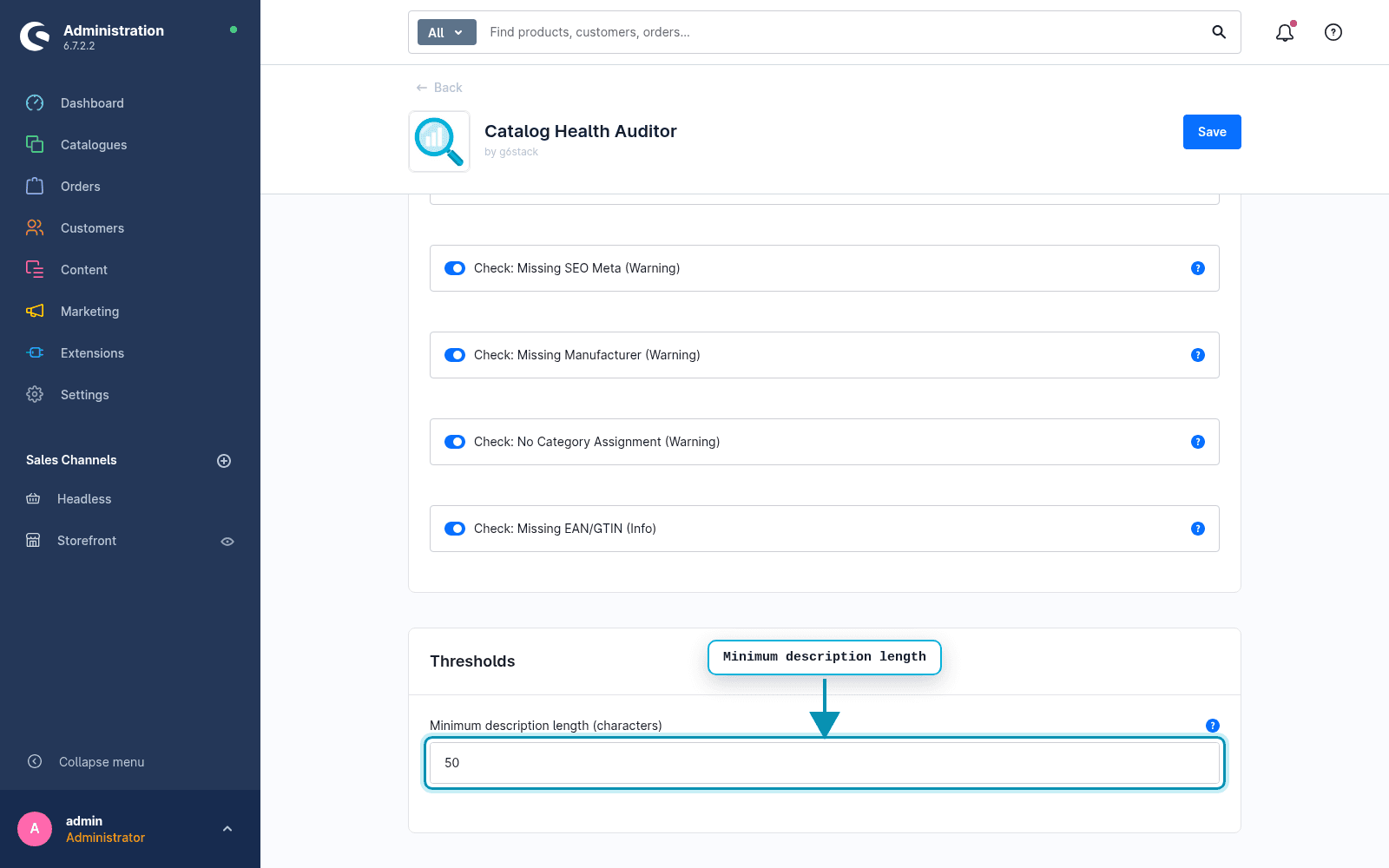
Images, alt texts, description length, SEO meta, manufacturer, EAN/GTIN, category and price. The alt-text check covers an EAA requirement.
History instead of a snapshot
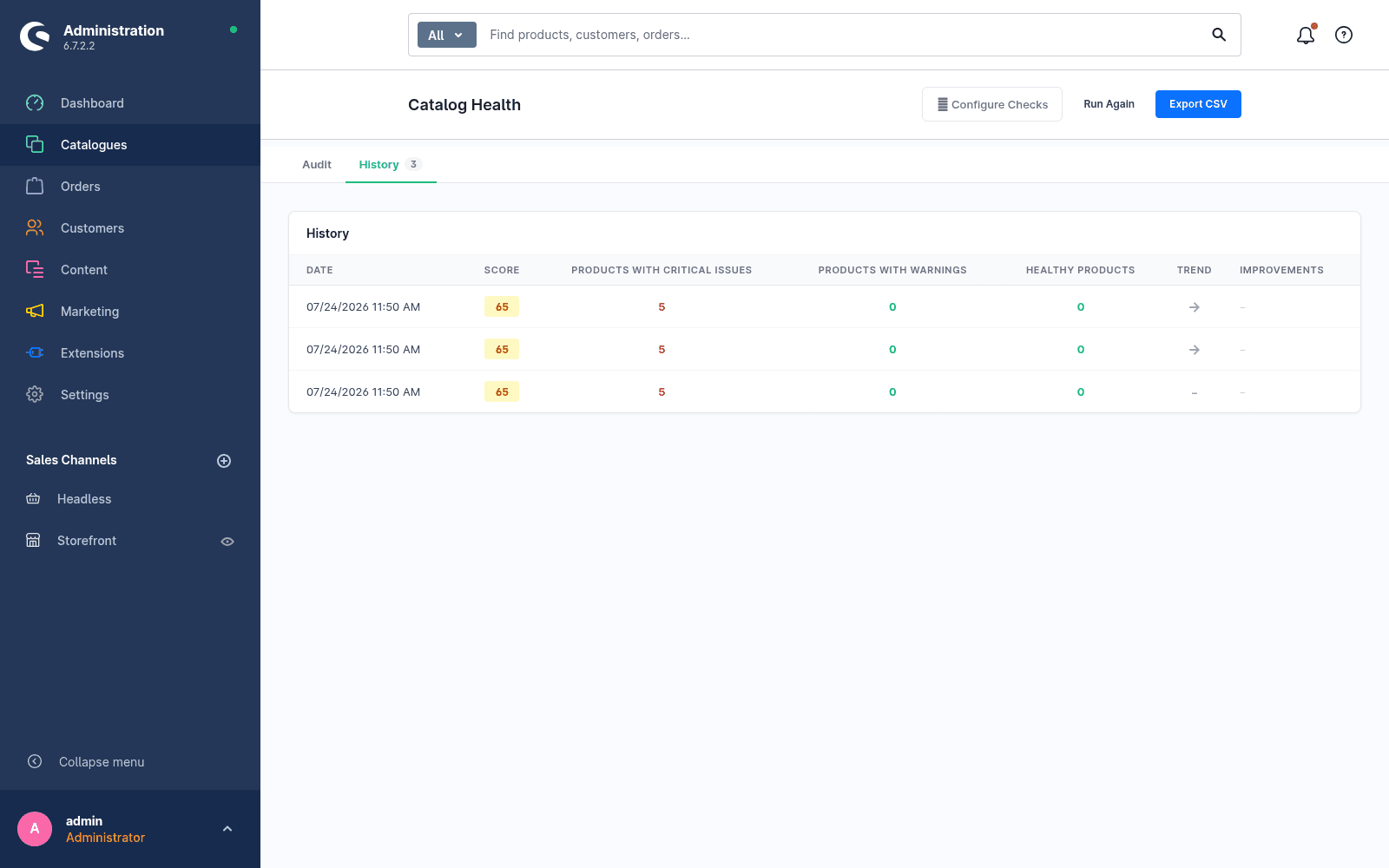
Every run is stored, so you can see whether the cleanup is working instead of starting from zero each time.
Ignore list for justified exceptions
A product without an EAN is sometimes correct. Such cases leave the score and the issue list, and come back whenever you want.
How an audit works
- 01Start the run. It rates every article in the selected sales channel.
- 02Read the dashboard: overall score, most frequent issues, affected products.
- 03Jump straight into product editing through the deep link and close the gap.
- 04Run it again. The history shows the improvement over the previous run.
Want to know how good your product data really is?
Catalog Health Auditor is live in the Shopware Store. Install via the Extension Manager, first audit in minutes.
Install in the Shopware StoreFAQ
Frequently asked questions
Does the plugin use external services or share data?
No. All checks run inside your shop and no data is sent to any external service.
Does the plugin change my product data?
No. It only reads and rates the catalog. You make changes yourself through the deep link into product editing.
What does the EAA alt-text check verify?
It flags products whose images carry no alt text. Alt texts are a requirement of the EU accessibility directive (EAA).
Can I switch individual checks off?
Yes. Each of the eight checks can be toggled individually, the minimum description length is adjustable, all per sales channel.