Bulk Find & Replace
Change one word across every product text, with a preview before each change and undo for every run.
- Compatibility
- Shopware 6.5, 6.6 und 6.7
- Price
- €6.90/month or €59/year
- Languages
- Multilingual
Shopware 6 has no built-in find-and-replace for product texts. When a brand name, a size label or a typo runs through hundreds of descriptions and meta fields, you are left with CSV export-and-reimport (error-prone, no in-shop context) or editing product by product.
Bulk Find & Replace closes exactly that gap: it searches product names, descriptions and meta fields for a term and replaces it across the whole catalog, but only after you have seen every single change as a red/green diff and approved it.
How it looks in the admin
What sets it apart
Replace text inside fields
Not overwriting whole fields, but swapping a term inside existing text. That is exactly what the native bulk edit cannot do.
Mandatory preview before every write
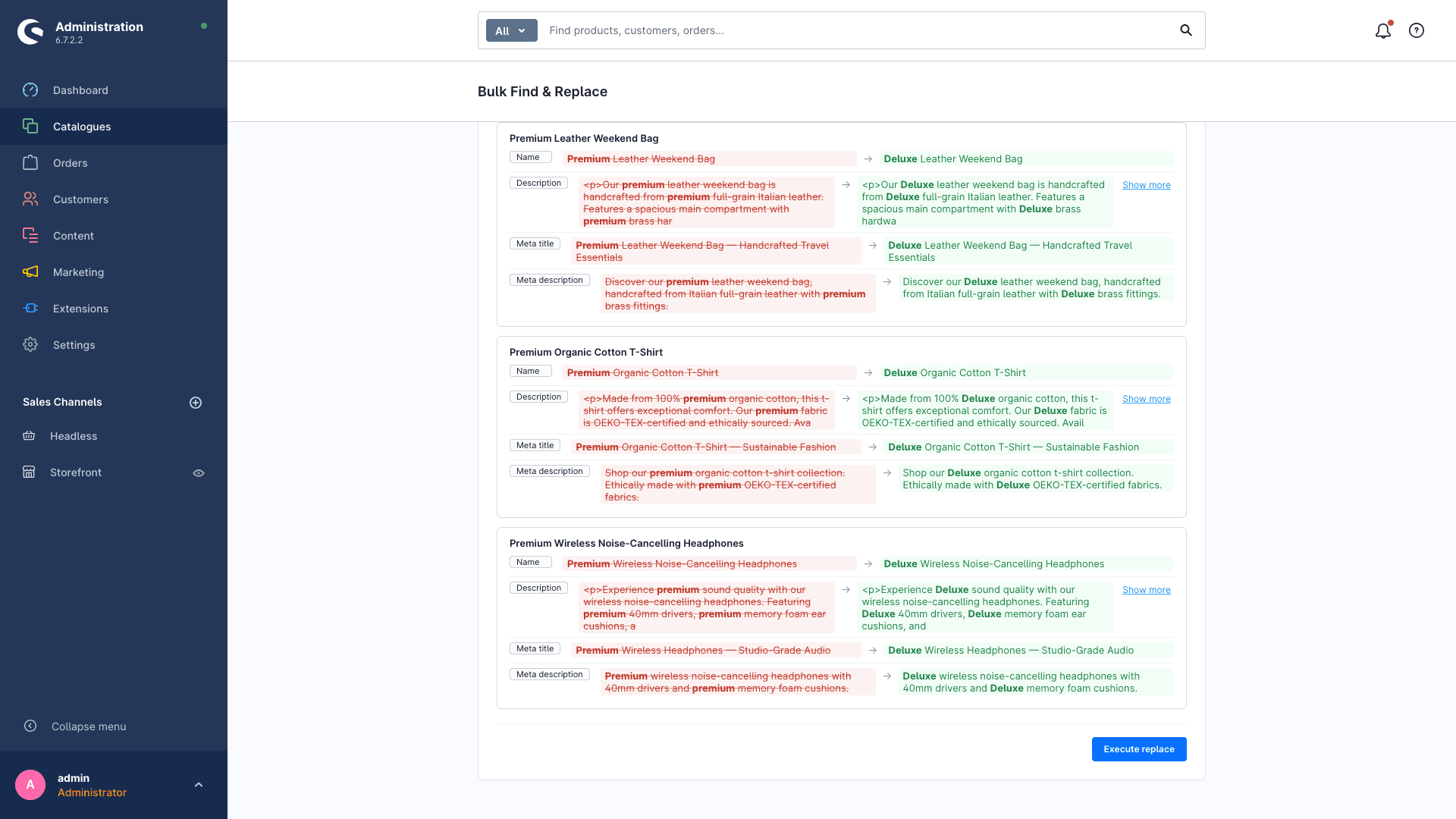
Every affected row as a before/after diff. Nothing is written before you have seen and confirmed it. No blind CSV reimport.
Undo in one click
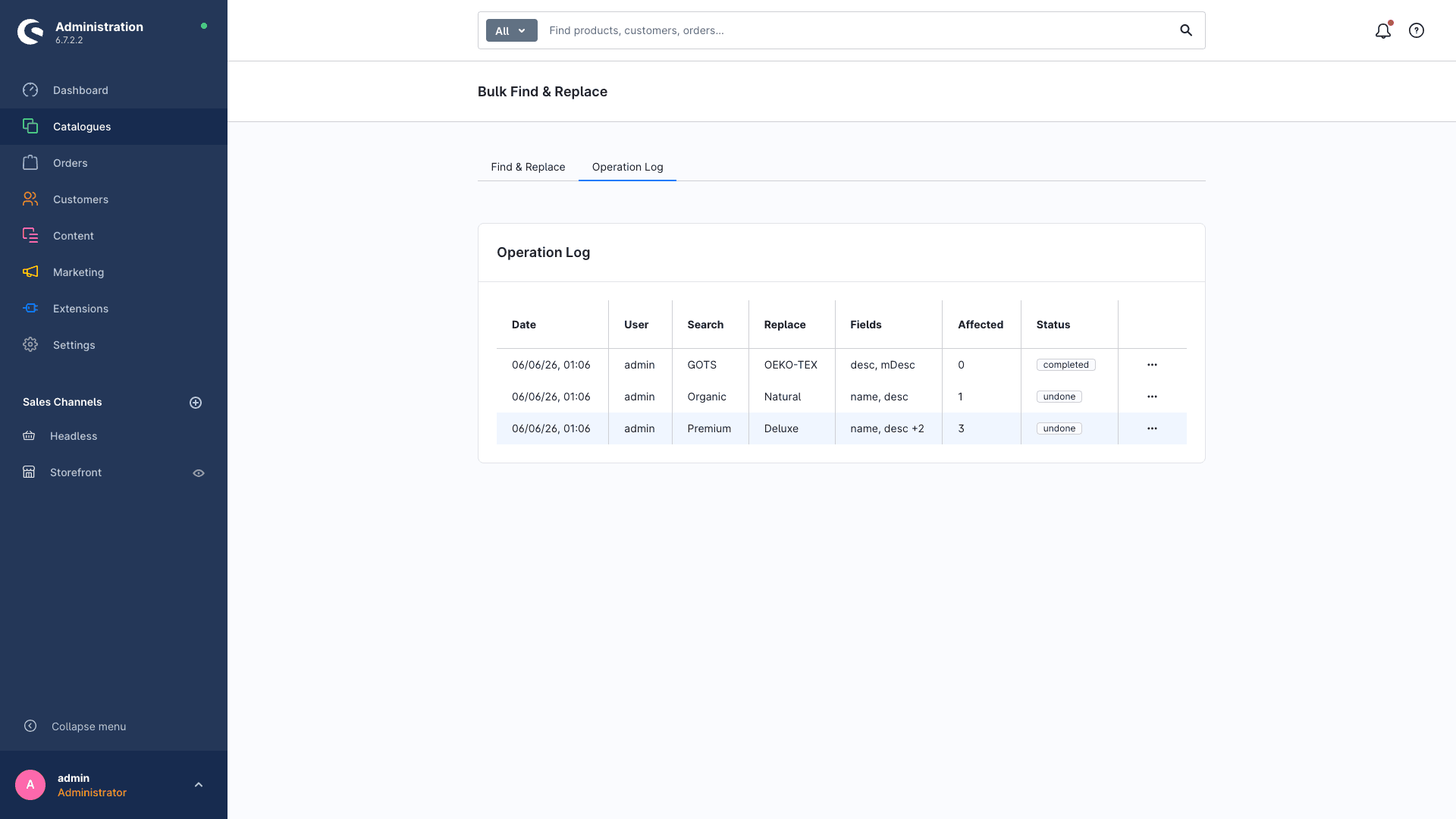
Every run is stored as a change-set. A result is off? One click restores the previous state.
Targeted selection
Filter by products, manufacturers or active state. Replacement runs only where you want it, not accidentally across the whole catalog.
How a run works
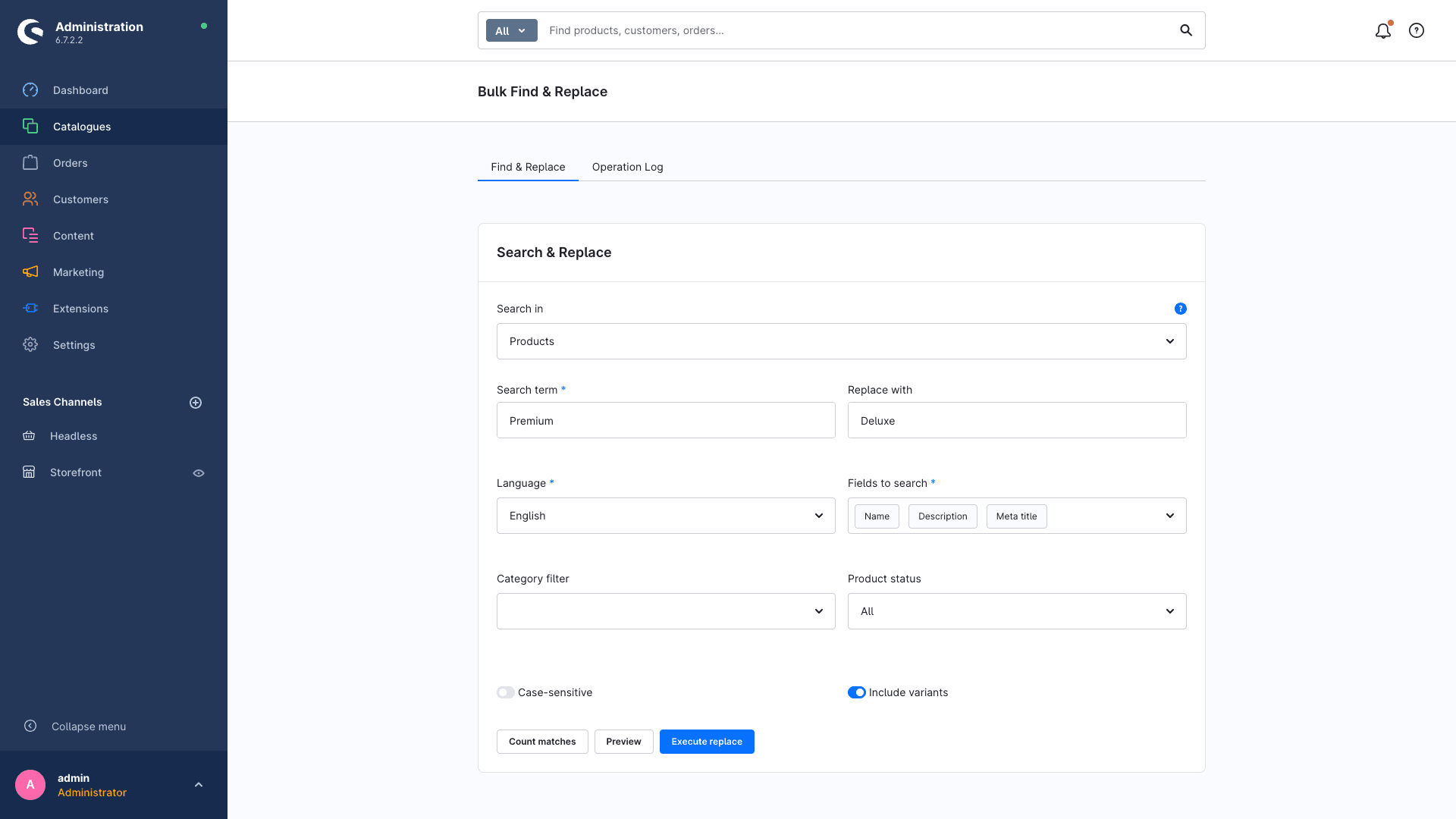
- 01Enter search term and replacement, pick the fields (name, description, meta).
- 02Generate the preview. Every change appears as a red/green diff.
- 03Approve. Bulk Find & Replace writes only the confirmed changes.
- 04If needed: undo the run in one click.
Ready for safe bulk text changes?
Bulk Find & Replace is live in the Shopware Store. Install via the Extension Manager, set up in minutes.
Install in the Shopware StoreRead more
FAQ
Frequently asked questions
Can Shopware 6 not replace text in products itself?
No. The native bulk edit can only overwrite, clear or add whole fields, and it does not swap text inside an existing field. That is exactly what this plugin is for.
Which fields are supported?
Product name, description and the SEO meta fields. Replacement runs per language so multilingual catalogs stay clean.
What if a replacement was wrong?
Every run is stored as a change-set and can be undone in one click. On top of that, you see every change in the mandatory preview before anything is written.
Which Shopware versions does it run on?
Tested with Shopware 6.5, 6.6 and 6.7.